Export by Investment: All Entities Export
Overview
The Export by Investment report is helpful for seeing a variety of data in IMS. From a high level, this report will show all investments that are in the system, along with distribution information for the past 3 years. This report is also helpful when looking up tax information, as you can see if issuing entities have the proper tax information needed for successfully matching K-1 files.
Step-By-Step
1. Select the Projects tab. From the drop-down menu, select Entities:

2. Select the Export by Investment button:

3. Both Investor Info and K-1 Information (for Schedule K-1 Part II, E-J) categories will be selected by default. You can deselect one of the checkboxes if you only wish to receive the information that the single selected report contains. When you are ready to generate the report, select Email Export: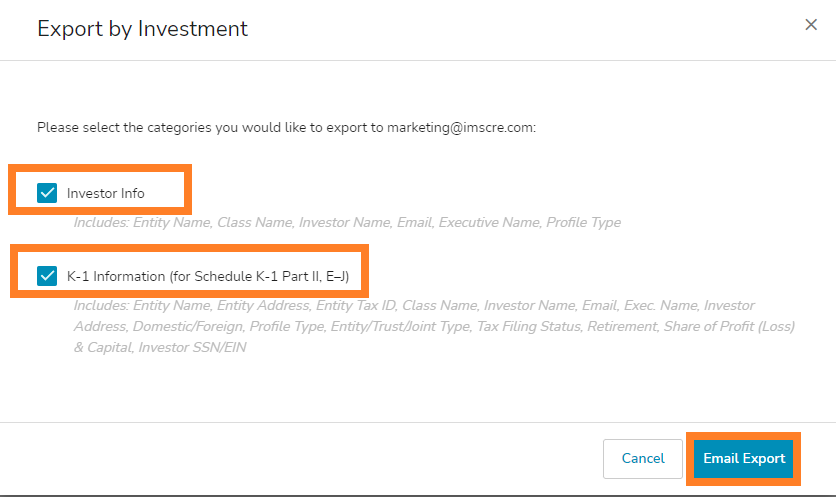
*Note: Each Export by Investment data category includes a list of the Excel columns that will generate in the report.